

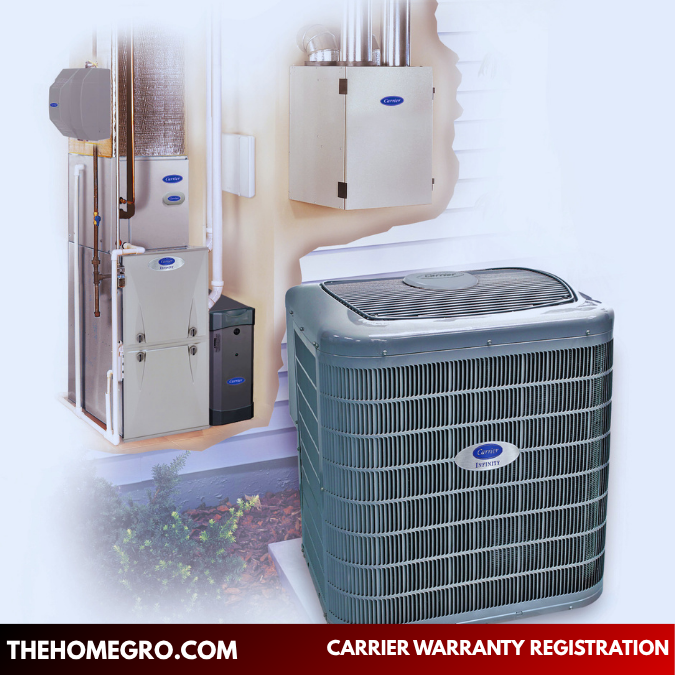
Introduction to Carrier Warranty Registration
Carrier warranty registration is one of the most important yet frequently overlooked steps after installing a new HVAC system. Whether you’ve invested in a central air conditioner, furnace, or heat pump, registering your unit ensures that you receive the full protection promised by the manufacturer.
Many homeowners assume their warranty is automatically activated upon installation. However, in most cases, failing to complete carrier warranty registration within the required time frame can significantly reduce your coverage. This means you could be left paying out-of-pocket for repairs that would otherwise have been covered.
Understanding how carrier warranty registration works—and why it matters—can help you avoid unnecessary expenses, protect your investment, and ensure long-term peace of mind.
What Is Carrier Warranty Registration?
Carrier warranty registration is the official process of recording your HVAC equipment with the manufacturer after installation. This process links your system’s serial number, model number, and installation details to your name and address.
Once registered, the manufacturer can verify:
- Ownership of the system
- Installation date
- Warranty eligibility
- Coverage duration
Without completing carrier warranty registration, your system may still be covered under a default warranty—but that coverage is typically shorter and less comprehensive.
Why Carrier Warranty Registration Is Important
Unlocks Extended Warranty Coverage
One of the primary benefits of carrier warranty registration is access to extended warranty coverage. Many Carrier systems offer up to 10 years of parts protection—but only if registration is completed within the required period.
If you skip this step, your warranty may automatically default to a shorter term, often around five years.
Protects You from Costly Repairs
HVAC systems are complex and expensive to repair. Components such as compressors, coils, and motors can cost hundreds or even thousands of dollars to replace.
Carrier warranty registration helps ensure that these major components are covered, reducing your financial burden when repairs are needed.
Simplifies Service and Claims
Registered systems are easier to service. When a technician submits a warranty claim, your system’s information is already in the manufacturer’s database. This speeds up the process and reduces the need for additional documentation.
When Should You Complete Carrier Warranty Registration?
Registration Deadline
In most cases, you must complete carrier warranty registration within 90 days of installation to qualify for full warranty benefits.
Missing this deadline can result in:
- Reduced warranty duration
- Limited parts coverage
- Potential complications during claims
Best Practice Recommendation
To avoid missing the deadline, it’s best to complete carrier warranty registration immediately after installation—ideally within the first week.
Information Required for Carrier Warranty Registration
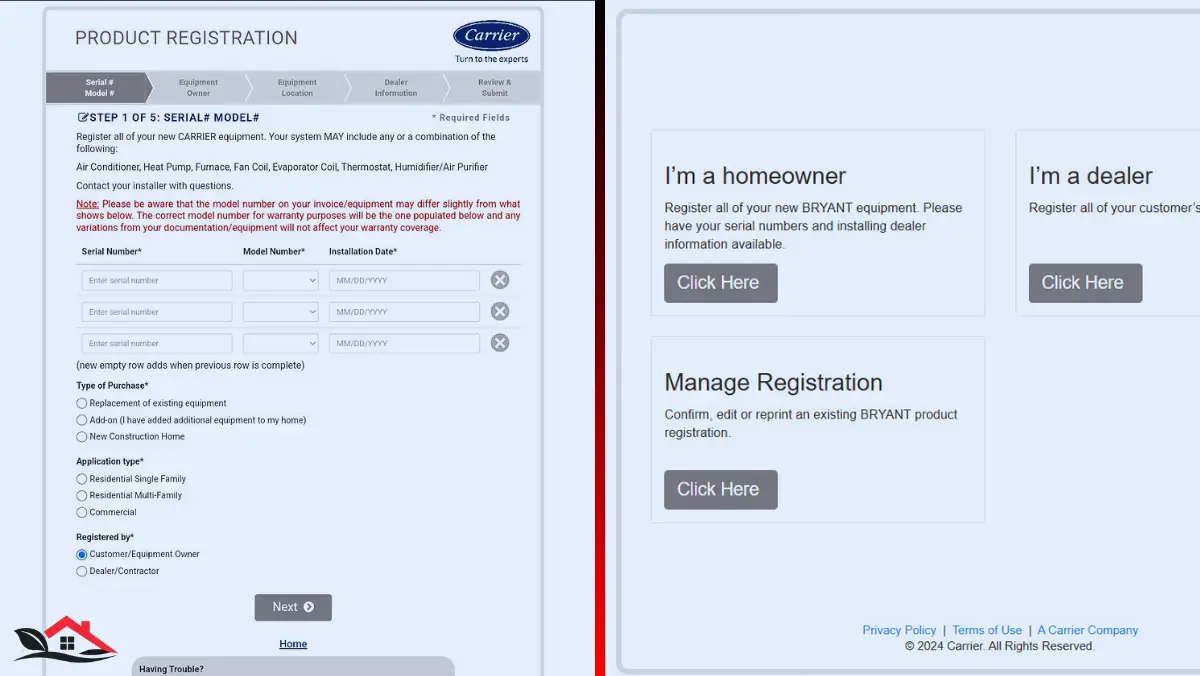
Before beginning the registration process, gather all necessary details to ensure a smooth experience.
Equipment Details
- Model number
- Serial number
- Type of unit (AC, furnace, heat pump)
Installation Details
- Installation date
- Name of the contractor or dealer
- Company contact information
Homeowner Information
- Full name
- Installation address
- Email and phone number
Having this information ready will make carrier warranty registration quick and hassle-free.
Step-by-Step Carrier Warranty Registration Process
Step 1: Access the Registration Platform
Start by visiting the official Carrier warranty registration portal. Choose the homeowner registration option.
Step 2: Enter Product Information
Input the model number and serial number exactly as they appear on your unit. Accuracy is critical here, as even a small error can cause issues.
Step 3: Provide Installation Details
Enter the date your system was installed along with your contractor’s details.
Step 4: Add Personal Information
Fill in your contact details, including your name and address. This connects the warranty to your ownership.
Step 5: Review Your Submission
Double-check all entries to ensure accuracy. Incorrect information can delay or invalidate your registration.
Step 6: Submit and Confirm
After submission, you’ll receive a confirmation email. This confirms that your carrier warranty registration is complete.
What Happens After Carrier Warranty Registration?
Once your registration is complete, your system is officially covered under the applicable warranty terms.
You should:
- Save the confirmation email
- Keep a printed copy with your records
- Store purchase and installation documents together
This documentation will be essential if you ever need to file a warranty claim.
Types of Carrier Warranties
Standard Limited Warranty
This is the default coverage provided with your system. It typically offers shorter protection if the unit is not registered.
Extended Parts Warranty
Available through carrier warranty registration, this warranty extends parts coverage—often up to 10 years.
Optional Labor Warranty
Labor is usually not included in standard warranties. However, you may have the option to purchase additional coverage through your installer.
Common Mistakes to Avoid in Carrier Warranty Registration
Missing the Registration Window
Waiting too long to register is the most common mistake and can result in reduced coverage.
Entering Incorrect Information
Errors in serial numbers or installation dates can invalidate your registration or cause claim issues later.
Assuming the Installer Registered It
Not all contractors complete carrier warranty registration on your behalf. Always confirm and, if necessary, complete it yourself.
Failing to Save Proof
Without confirmation, you may struggle to prove that your system is registered.
Real-Life Scenario: The Cost of Skipping Registration
Imagine two homeowners who install identical HVAC systems:
- One completes carrier warranty registration within a week
- The other forgets entirely
Five years later, both systems experience a major component failure.
- The registered system is covered under warranty
- The unregistered system requires full out-of-pocket payment
This simple step can mean the difference between a minor inconvenience and a major financial burden.
How to Check Your Carrier Warranty Status
If you’re unsure whether your system is registered, you can check your warranty status online.
Simply enter your system’s serial number into the manufacturer’s lookup tool to view:
- Warranty coverage details
- Registration status
- Expiration dates
This is especially useful for new homeowners who inherit existing HVAC systems.
Can You Register a Carrier Warranty Late?
In most cases, late registration does not qualify for extended coverage. However, you may still receive limited warranty protection.
If you’ve missed the deadline, it’s worth contacting your installer or Carrier support to explore any available options.
Maintenance Requirements for Warranty Validity
Completing carrier warranty registration is only part of the equation. To keep your warranty valid, you must also maintain your system properly.
Key Maintenance Practices
- Schedule annual professional servicing
- Replace air filters regularly
- Keep outdoor units clean and unobstructed
- Address minor issues promptly
Neglecting maintenance can void your warranty—even if registration was completed.
Transferring a Carrier Warranty
Some Carrier warranties can be transferred to a new homeowner if you sell your property.
Transfer Requirements May Include
- Completing the transfer within a specified timeframe
- Providing documentation
- Paying a transfer fee (in some cases)
Always review your warranty terms to understand transfer eligibility.
Carrier Warranty Claims: What to Expect
If your system requires repair, the warranty claim process typically involves:
- Contacting your HVAC contractor
- Providing your system’s serial number
- Verifying warranty coverage
- Diagnosing the issue
- Submitting a claim to the manufacturer
Having your carrier warranty registration documentation readily available will speed up this process.
FAQs About Carrier Warranty Registration
What is carrier warranty registration?
Carrier warranty registration is the process of registering your HVAC system with the manufacturer to activate full warranty coverage.
Is carrier warranty registration mandatory?
It is not mandatory, but failing to register may result in reduced warranty benefits.
How long do I have to complete carrier warranty registration?
Typically, you have 90 days from the installation date.
Is carrier warranty registration free?
Yes, the registration process is free of charge.
Can I register my Carrier product myself?
Yes, homeowners can complete carrier warranty registration online.
What happens if I don’t register my system?
Your warranty may be limited to a shorter duration with reduced coverage.
Does registration cover labor costs?
Usually, only parts are covered. Labor coverage may require a separate agreement.
Can I check my warranty status online?
Yes, you can verify your warranty status using your system’s serial number.
Can warranties be transferred?
Some warranties can be transferred, but specific conditions apply.
What voids a Carrier warranty?
Improper installation, lack of maintenance, or misuse can void your warranty.
Conclusion
Carrier warranty registration is a simple yet essential step that plays a major role in protecting your HVAC investment. By completing your carrier warranty registration on time, you ensure access to extended coverage, reduce the risk of costly repairs, and simplify the claims process.
The process itself takes only a few minutes, but the benefits last for years. From financial protection to peace of mind, proper registration ensures that your system performs reliably and remains covered when you need it most.
In the long run, taking the time to complete carrier warranty registration is one of the smartest decisions any homeowner can make after installing a new HVAC system.
You May Also Read: The Home Gro
